01
Choose Link, Upload, or Text for your source.
Link works best for YouTube, web pages, news articles, and PDF URLs.
This service is built for portrait screens. Rotate your device to continue.
Follow the current app flow from links, files, images, meetings, and text to Section, Document, Podcast, and Focus result views.
A short path through input, analysis, and result use for your first session.
01
Link works best for YouTube, web pages, news articles, and PDF URLs.
02
Upload accepts documents, spreadsheets, slides, images, photos, meeting transcripts, and recordings in one place.
03
Switch results among Section, Document, Podcast, and Focus views to match your goal.
Ten real workflow screens
Fresh service captures covering link input, meetings and recording, saved analysis, documents, podcasts, focus view, the action playbook, ready-made prompts, My Style Book, and content plans.
Paste a YouTube, web page, or PDF URL in the Link tab, then browse trending content and saved library items from the same screen.
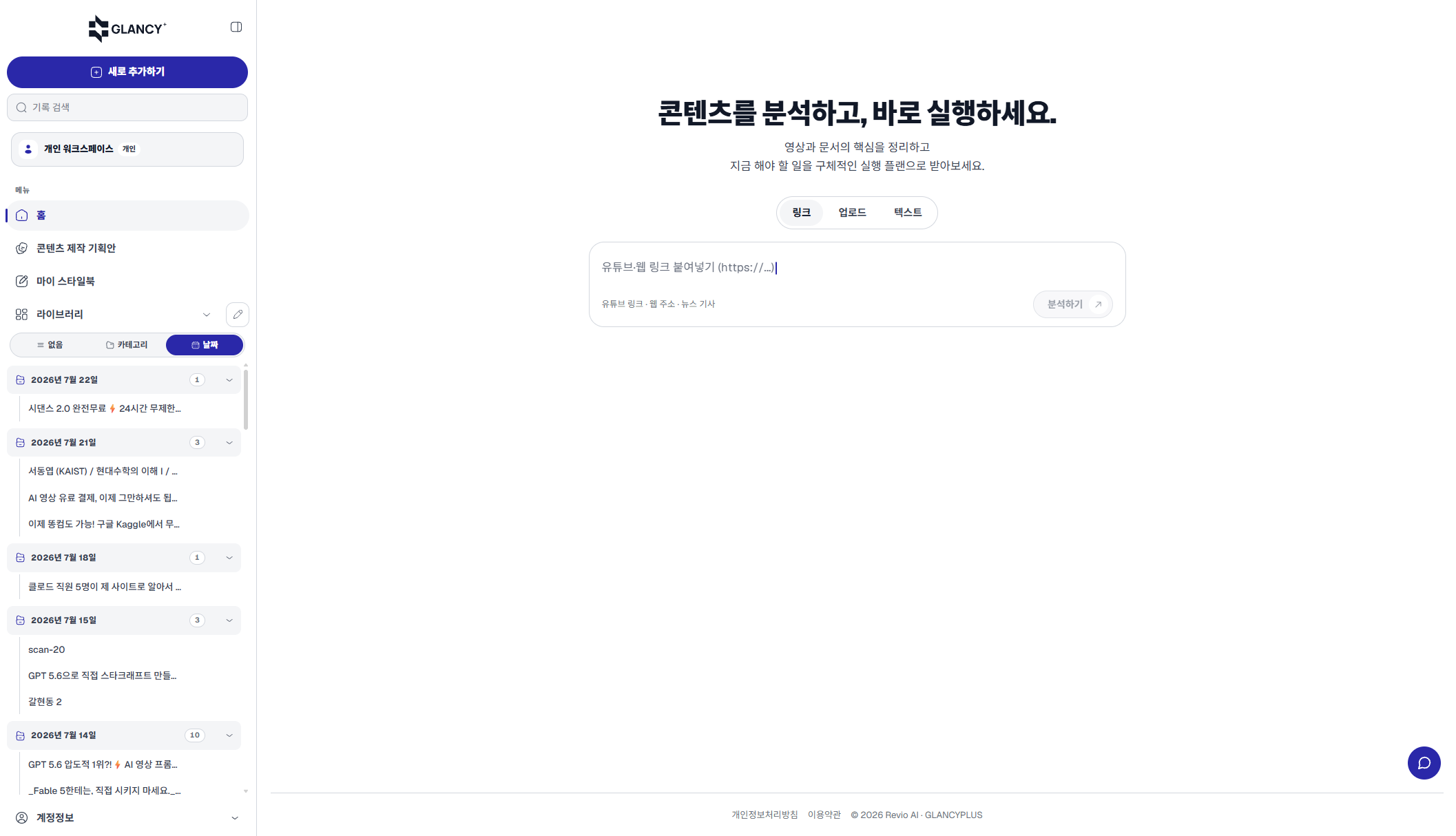
Real capture · `/app` input screen
The Upload tab offers File, Image & Photo, and Meeting. Meetings support pasted transcripts, transcript files, recording uploads, and direct recording.
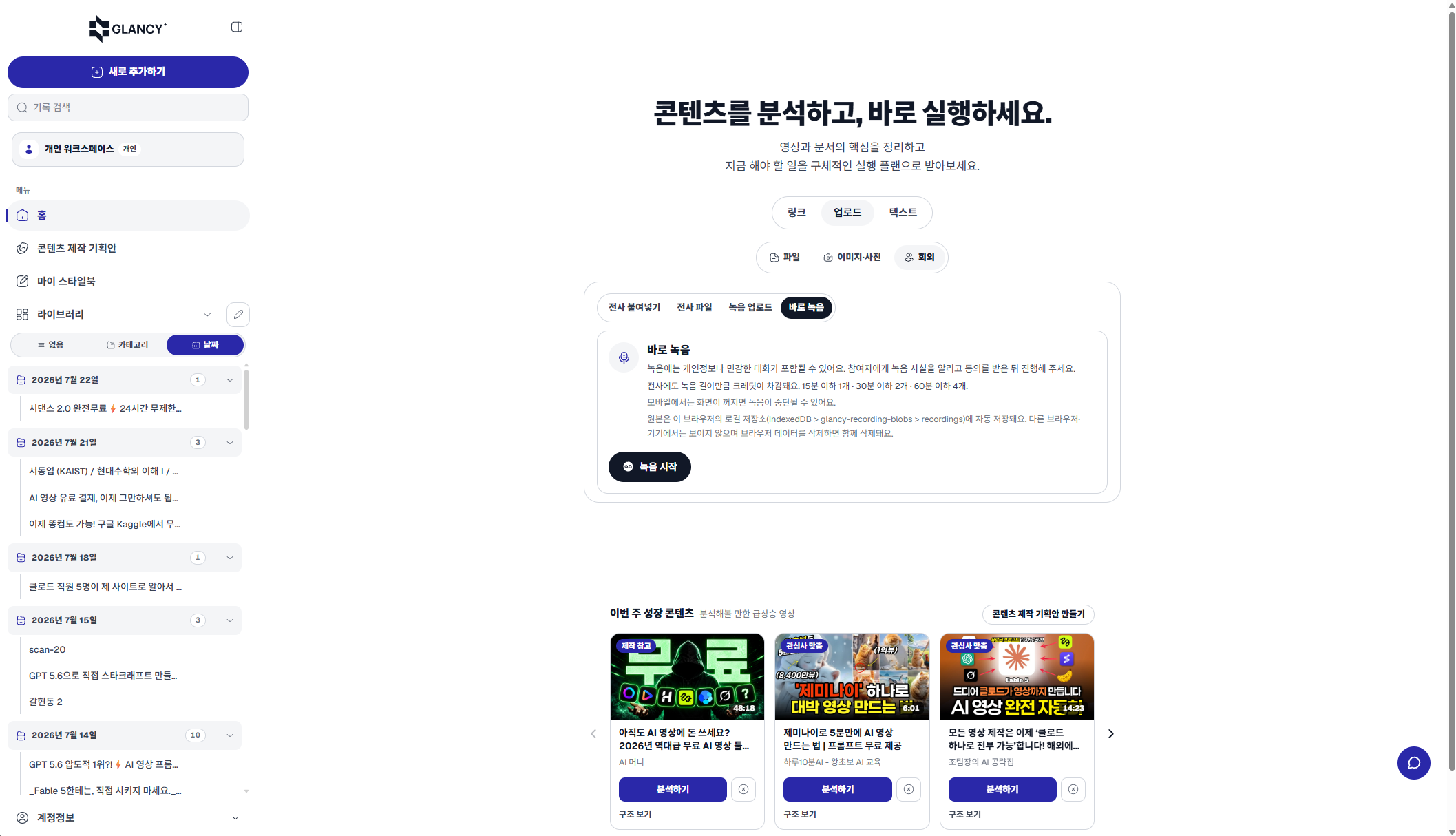
Real capture · direct meeting recording
This real screen reopens a completed YouTube analysis from the library, with the player and table of contents available together.
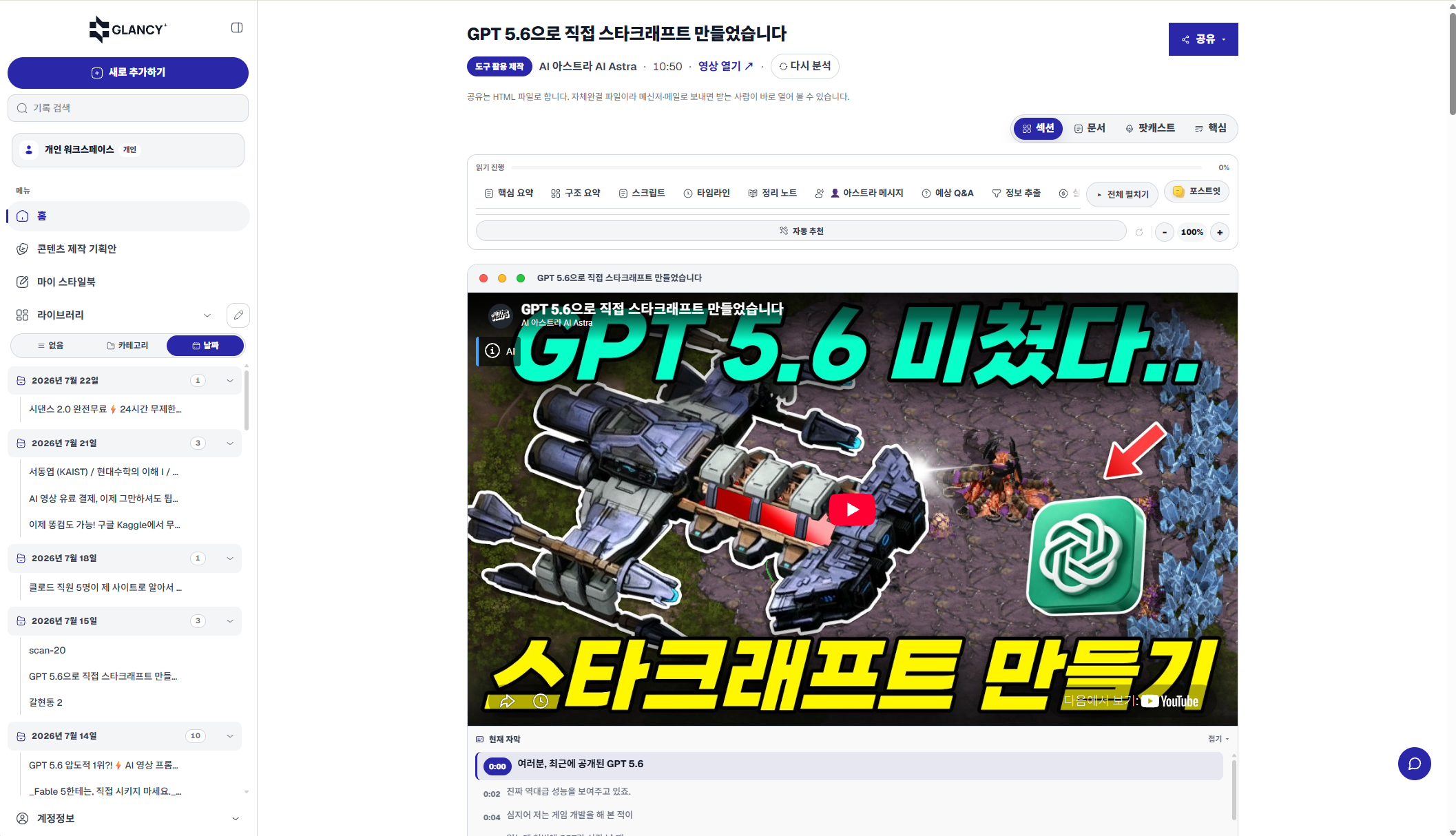
Real capture · saved YouTube analysis body
Document view rebuilds the analysis as an outline document. Add writing standards and optional instructions to create a company-standard report.
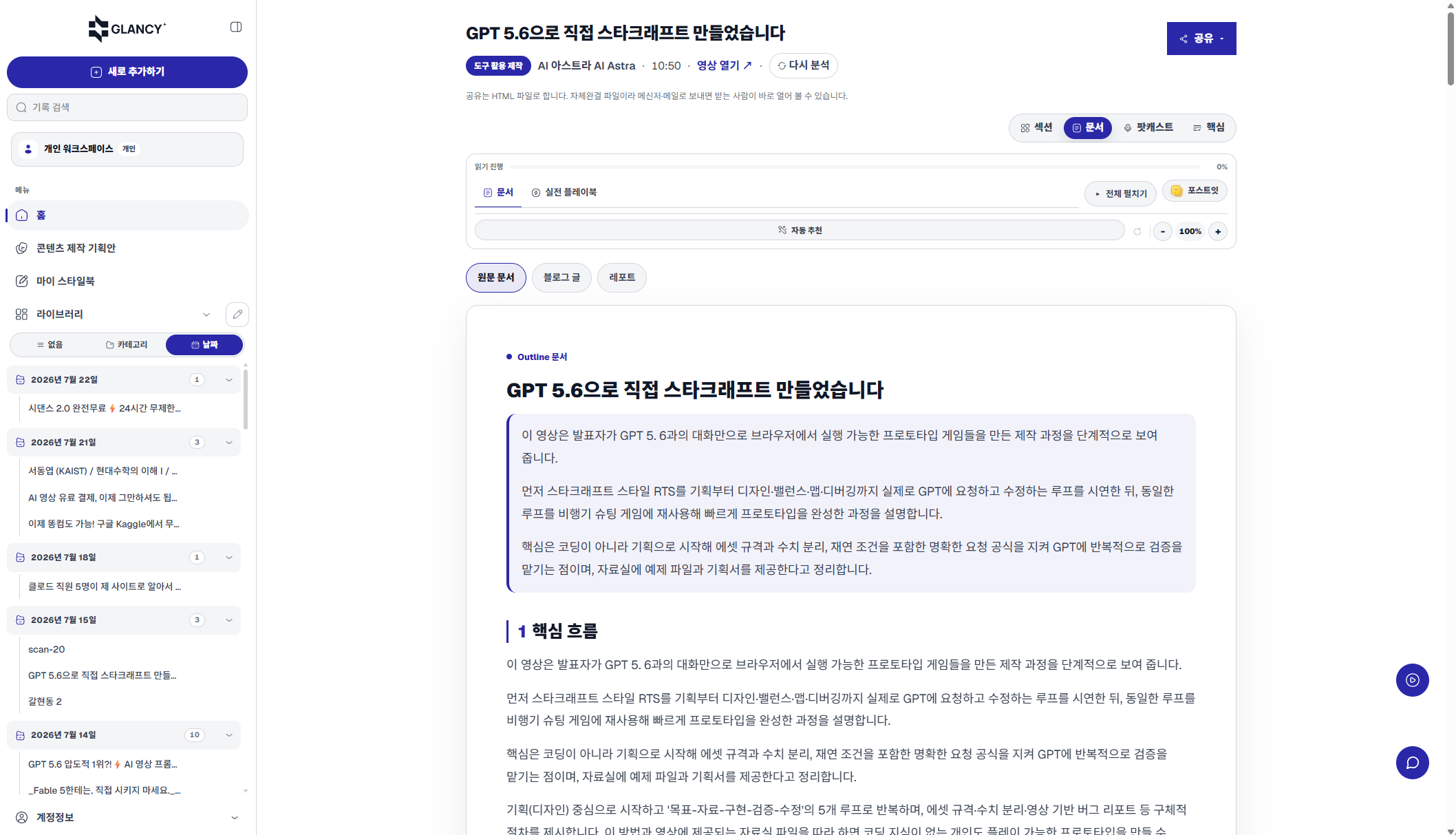
Real capture · Document view and report builder
Podcast view turns saved analysis into a two-speaker conversation script for reviewing key ideas through questions and answers.
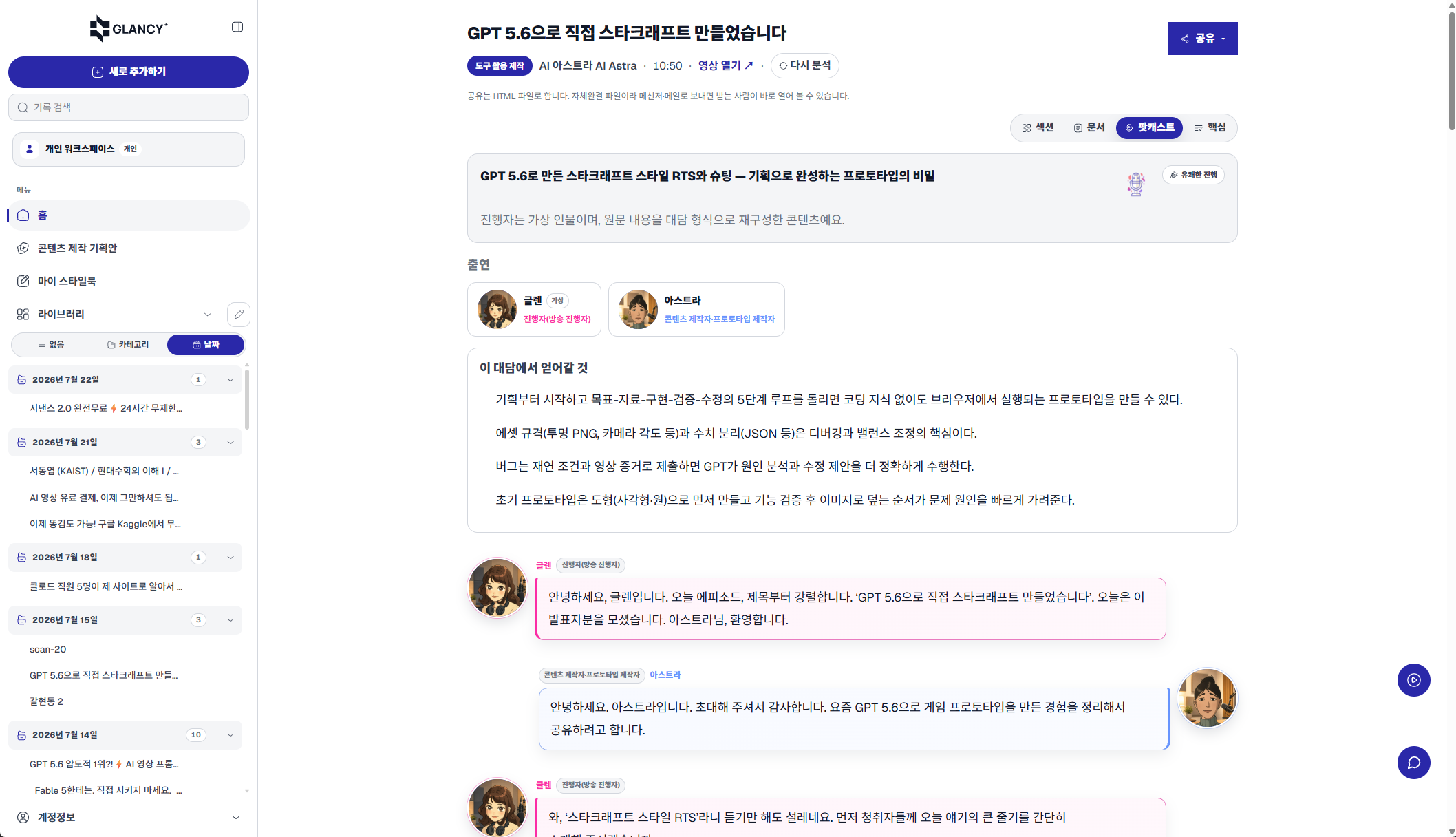
Real capture · Podcast conversation builder
Focus view condenses a long analysis into its summary and main flow. Return to Section view whenever you need the full result.
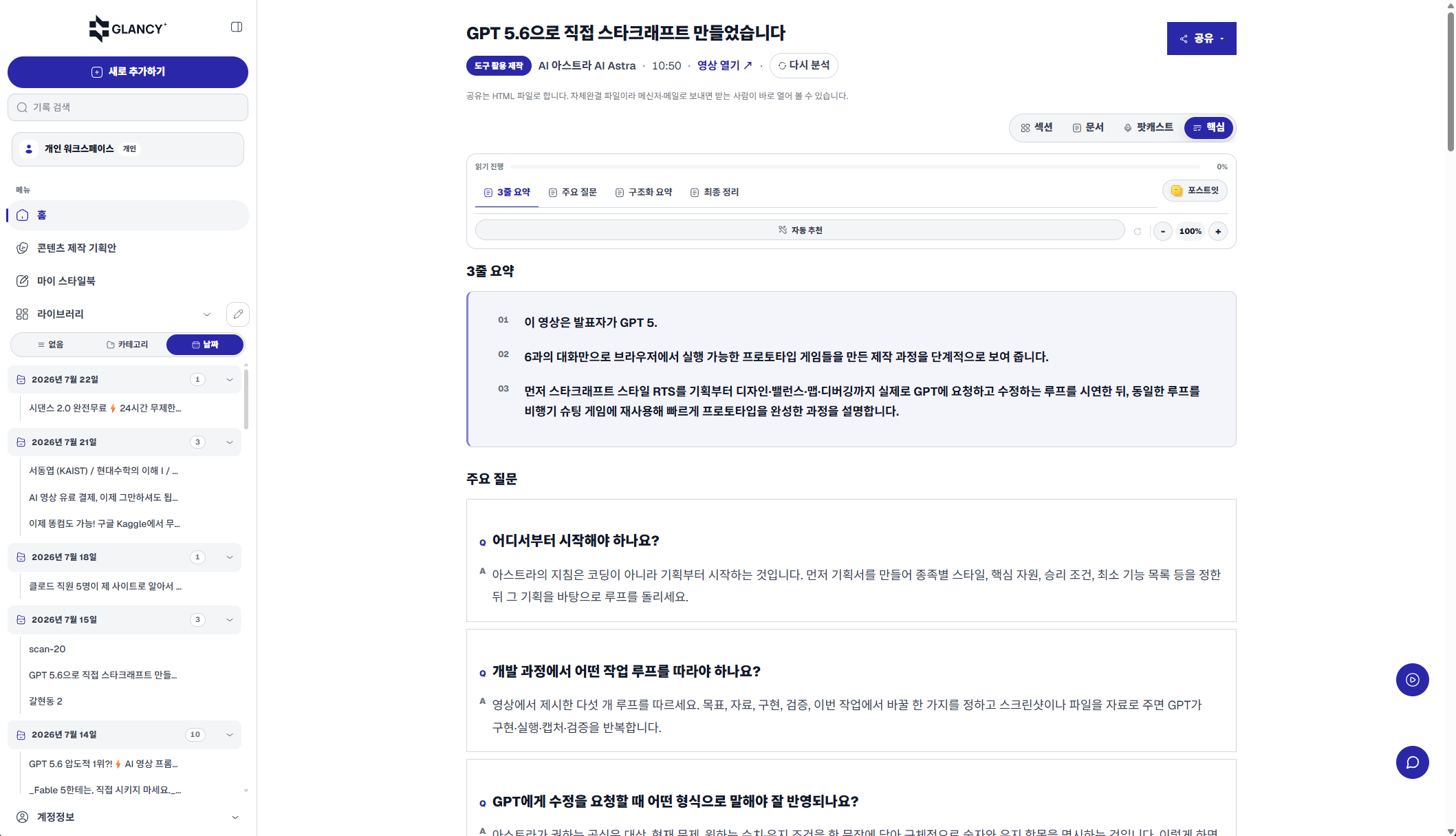
Real capture · Focus view
The playbook lays out what to prepare, what to do, and how to judge, in order — so you know where to start and where you might get stuck.
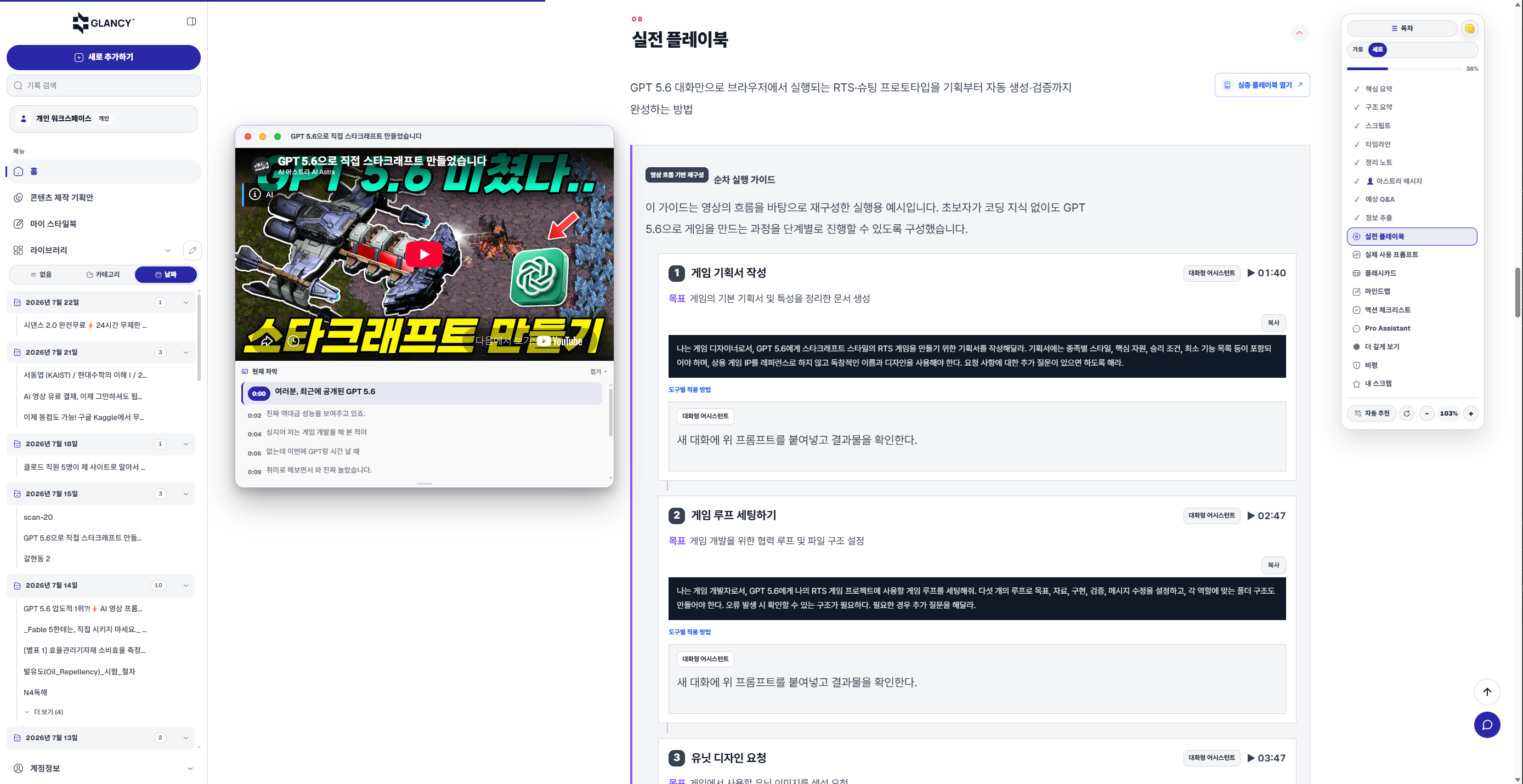
Real capture · Action playbook
Prompts actually used in the video or document, organized so you can copy them — with a note on when to use each.
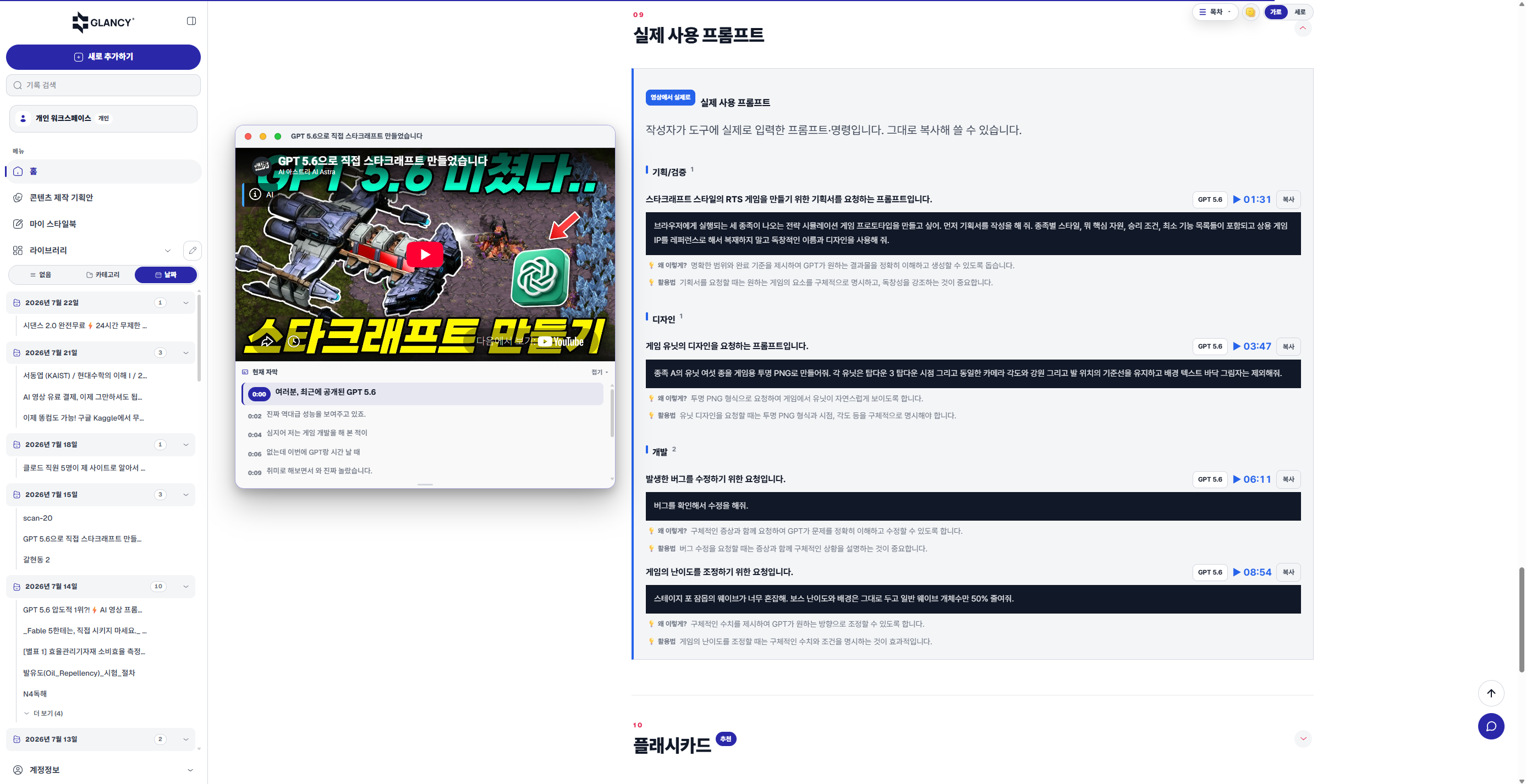
Real capture · Ready-made prompts
Write down your tone, structure, and rules once, and later output follows them. You can also compare a piece of content against your standards to see what is off.
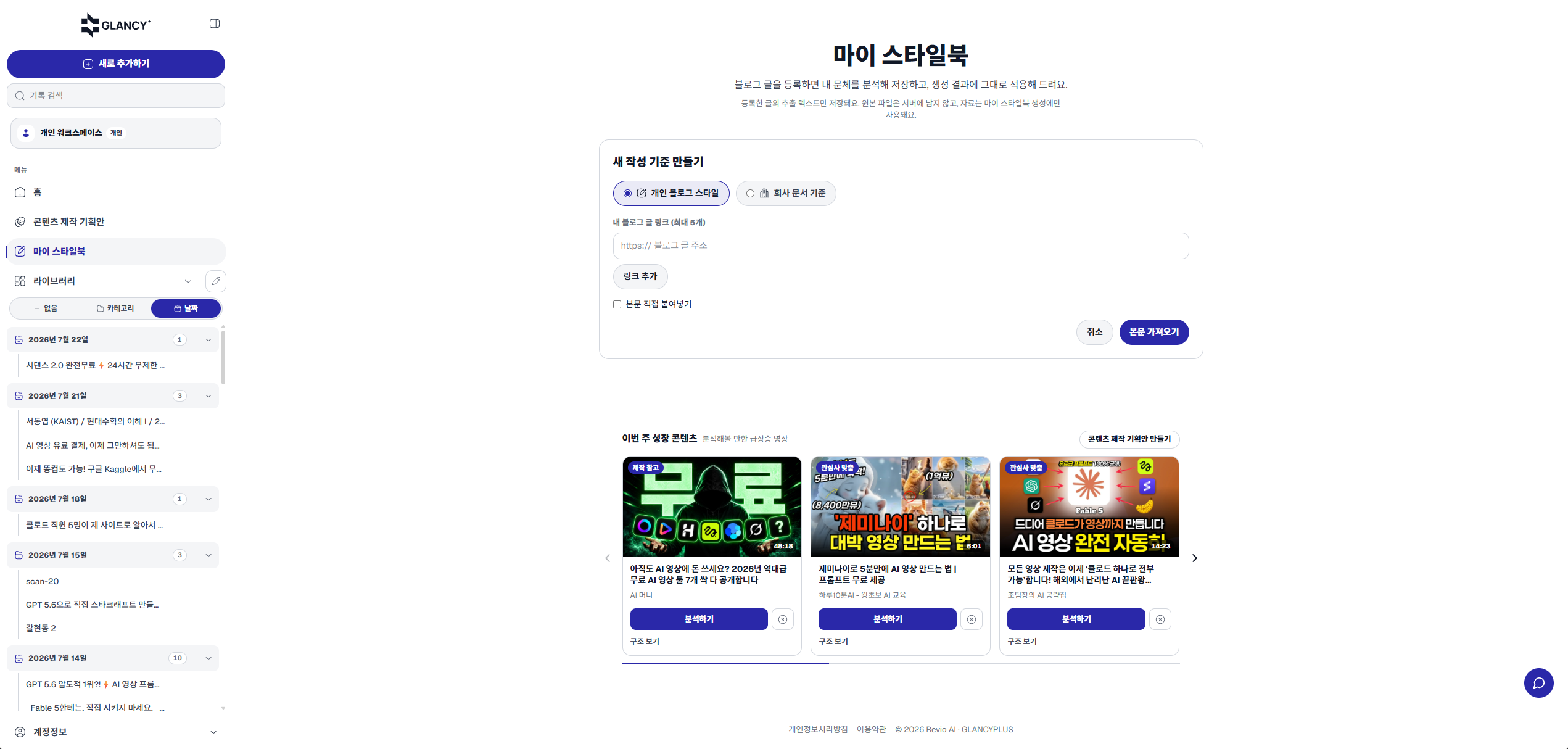
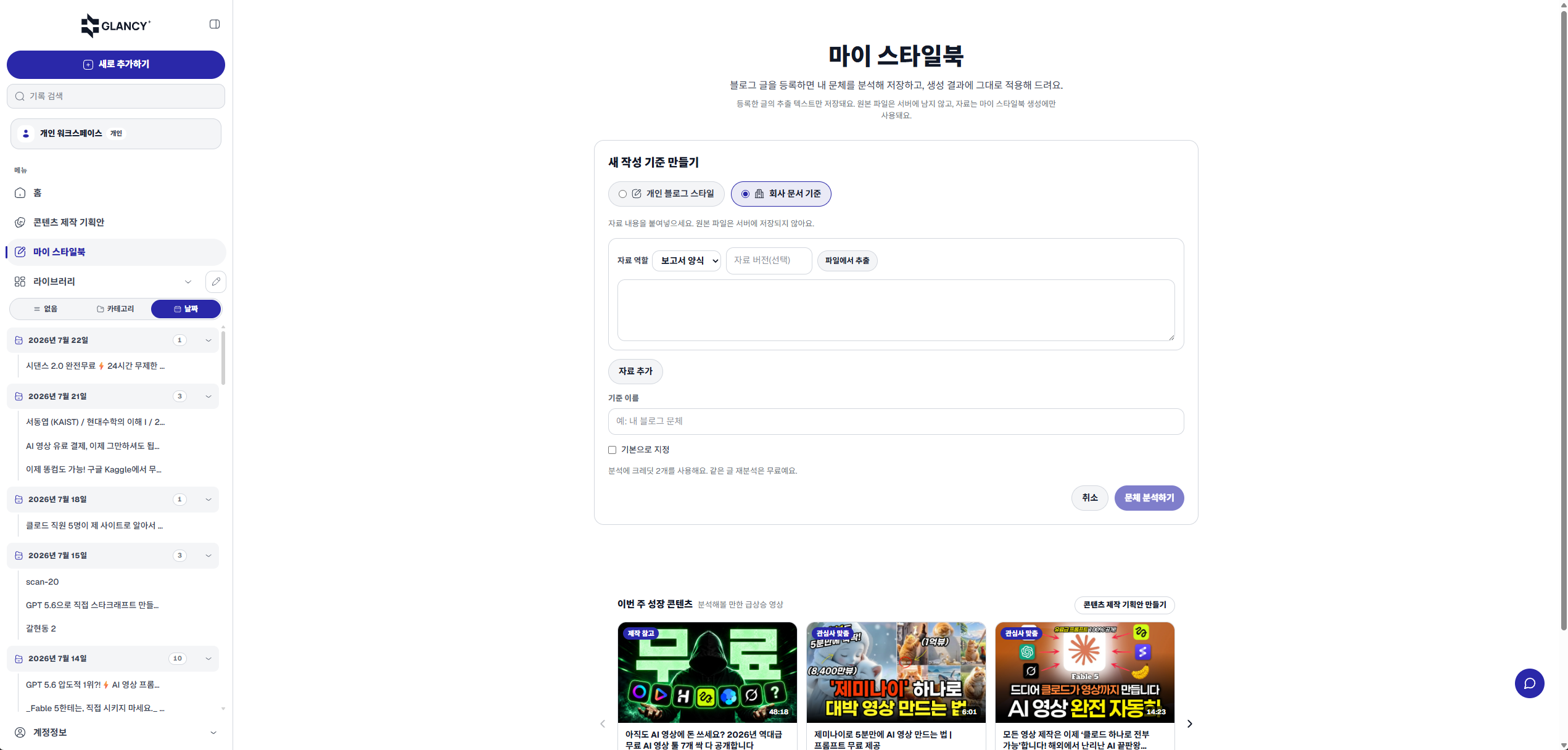
Real capture · My Style Book
Finds the patterns that work across analyses and merges them with your Style Book, producing title options and a structure you can use right away.
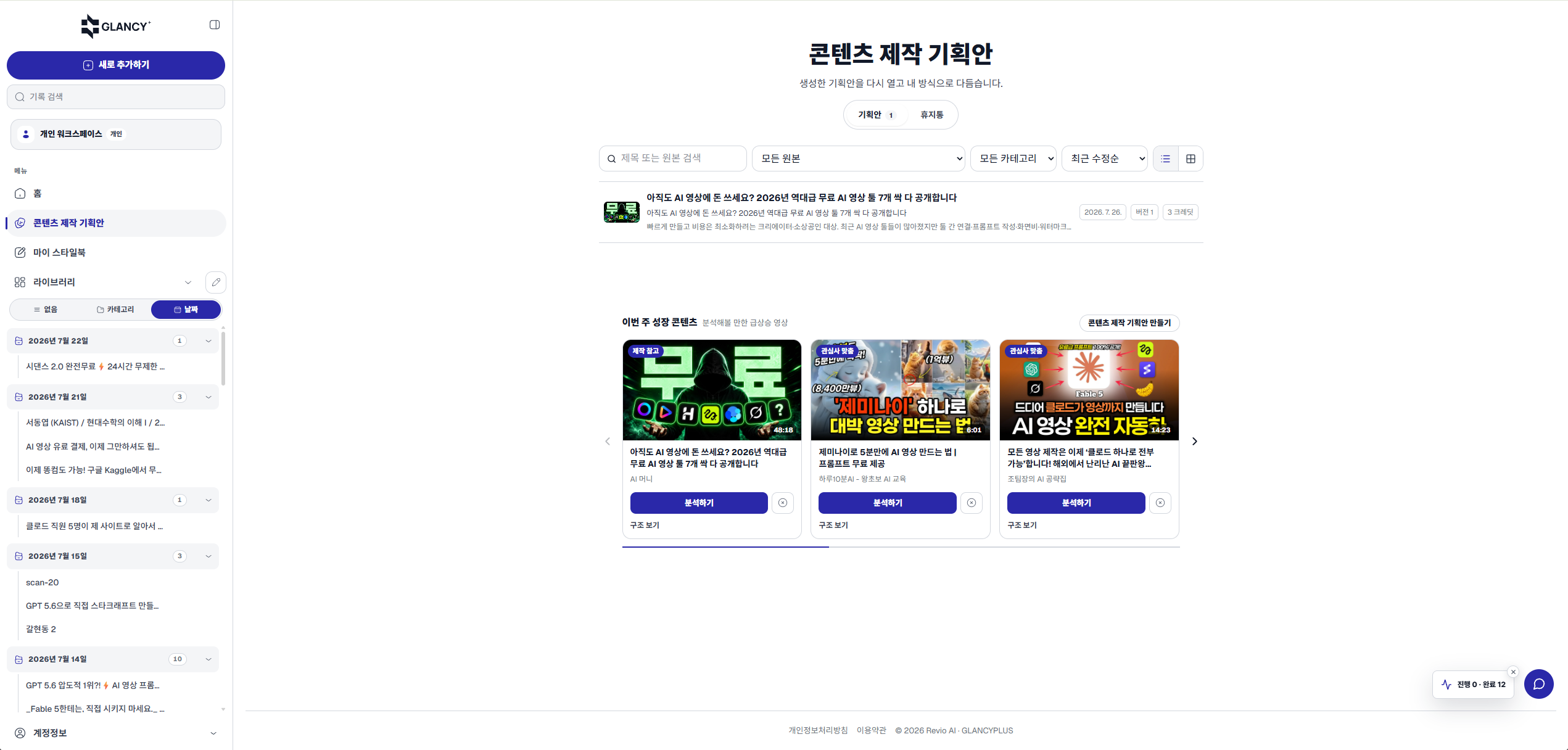
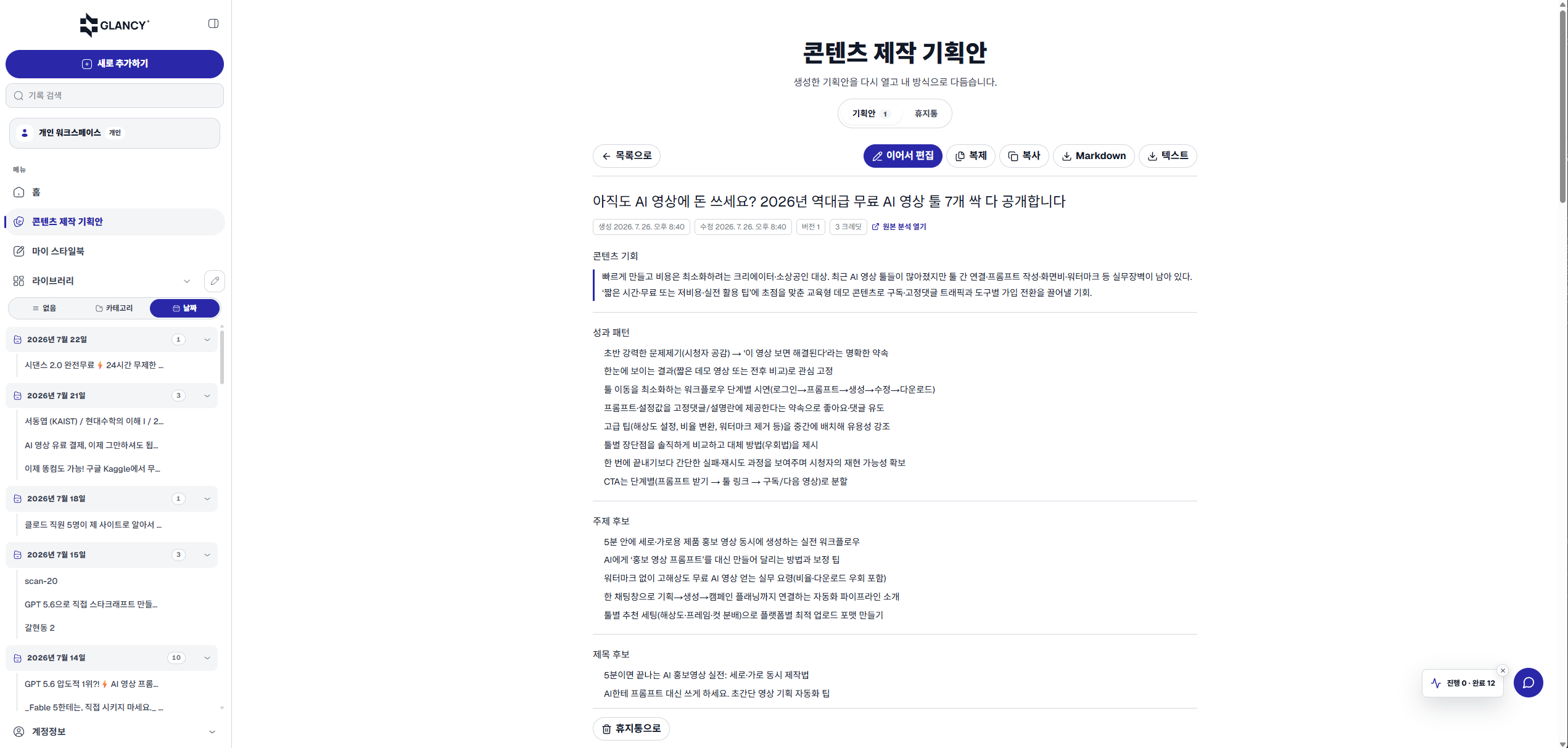
Real capture · Content plan